
How clarity.ai works
Upload documents. Ask questions. Get cited answers.
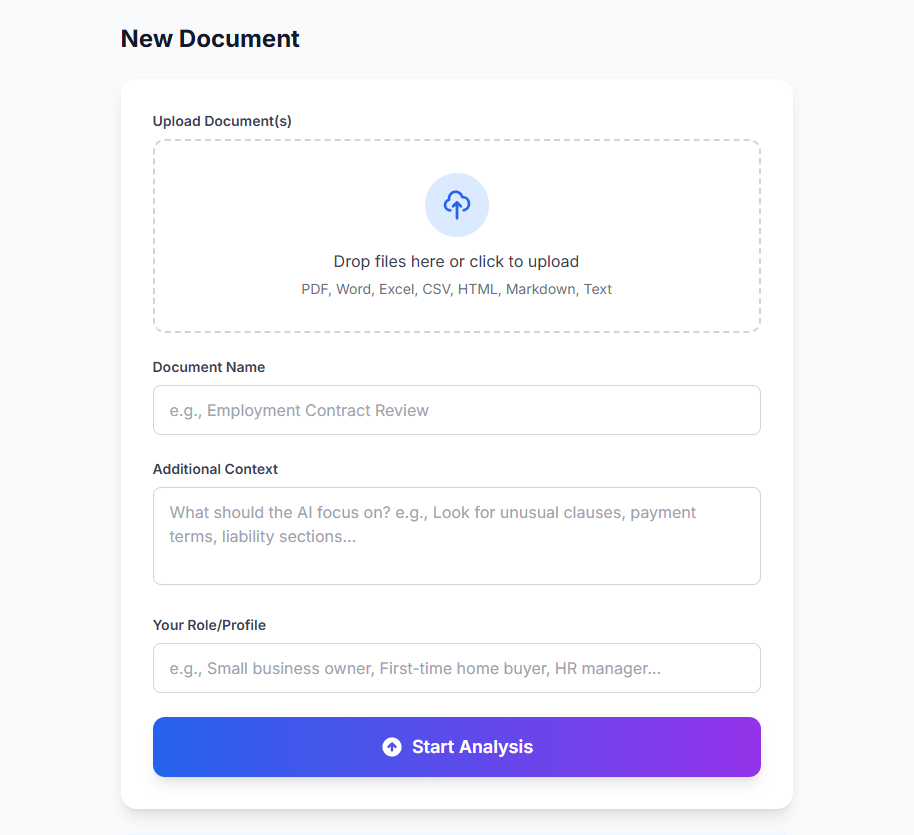
Create a Project & upload files
Name your project, add context about your goal, and drag in your files. We handle PDFs, Word, Excel, images, scanned docs and more.
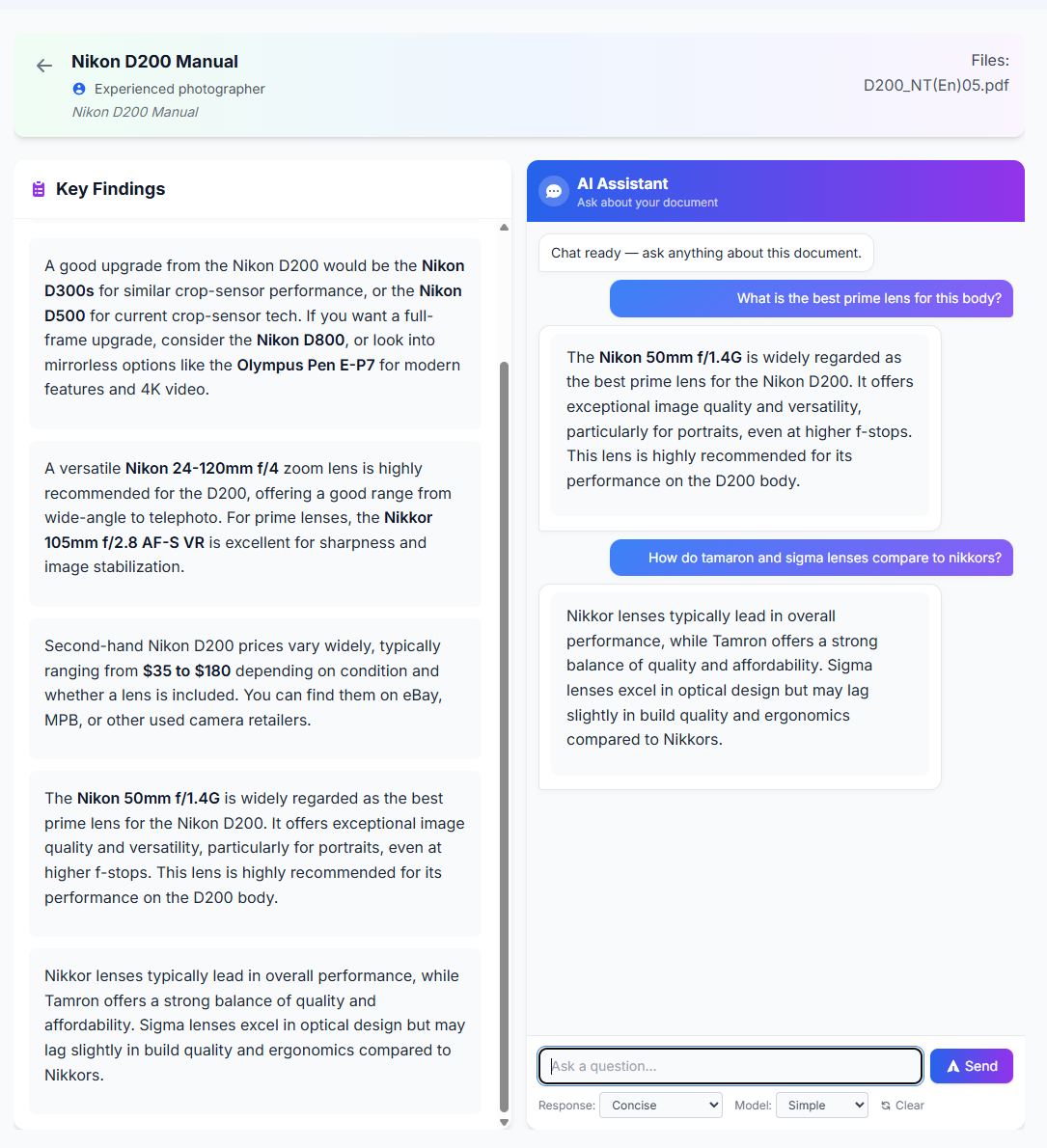
Ask questions & save findings
Chat in plain English. The AI searches every file in your project and responds with cited answers — filename and page number included. Click any answer to save it as a Key Finding.
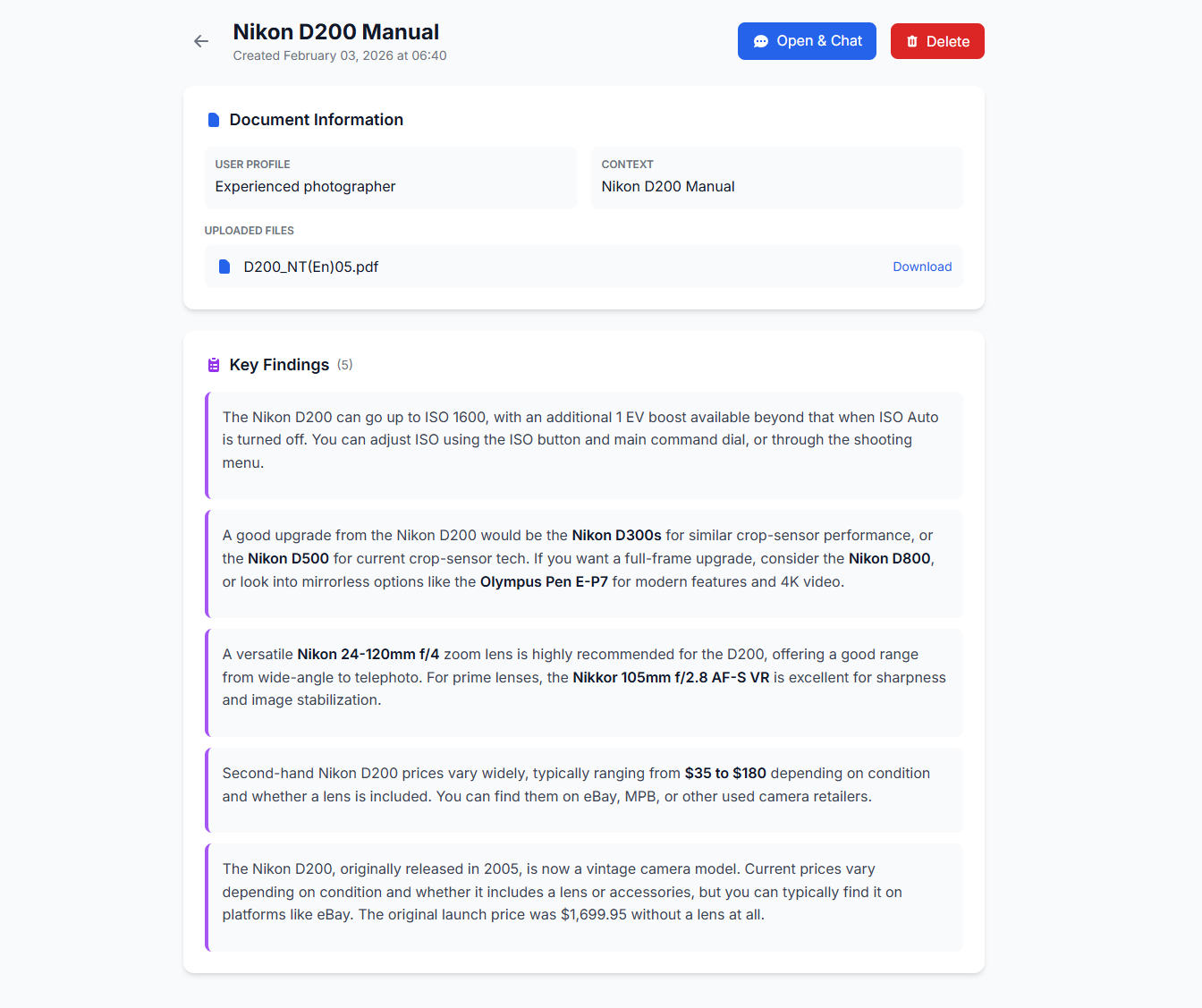
AI Review & validation
Hit AI Review and every finding is categorised, scored and cross-checked. Contradictions are flagged. Everything auto-saves.
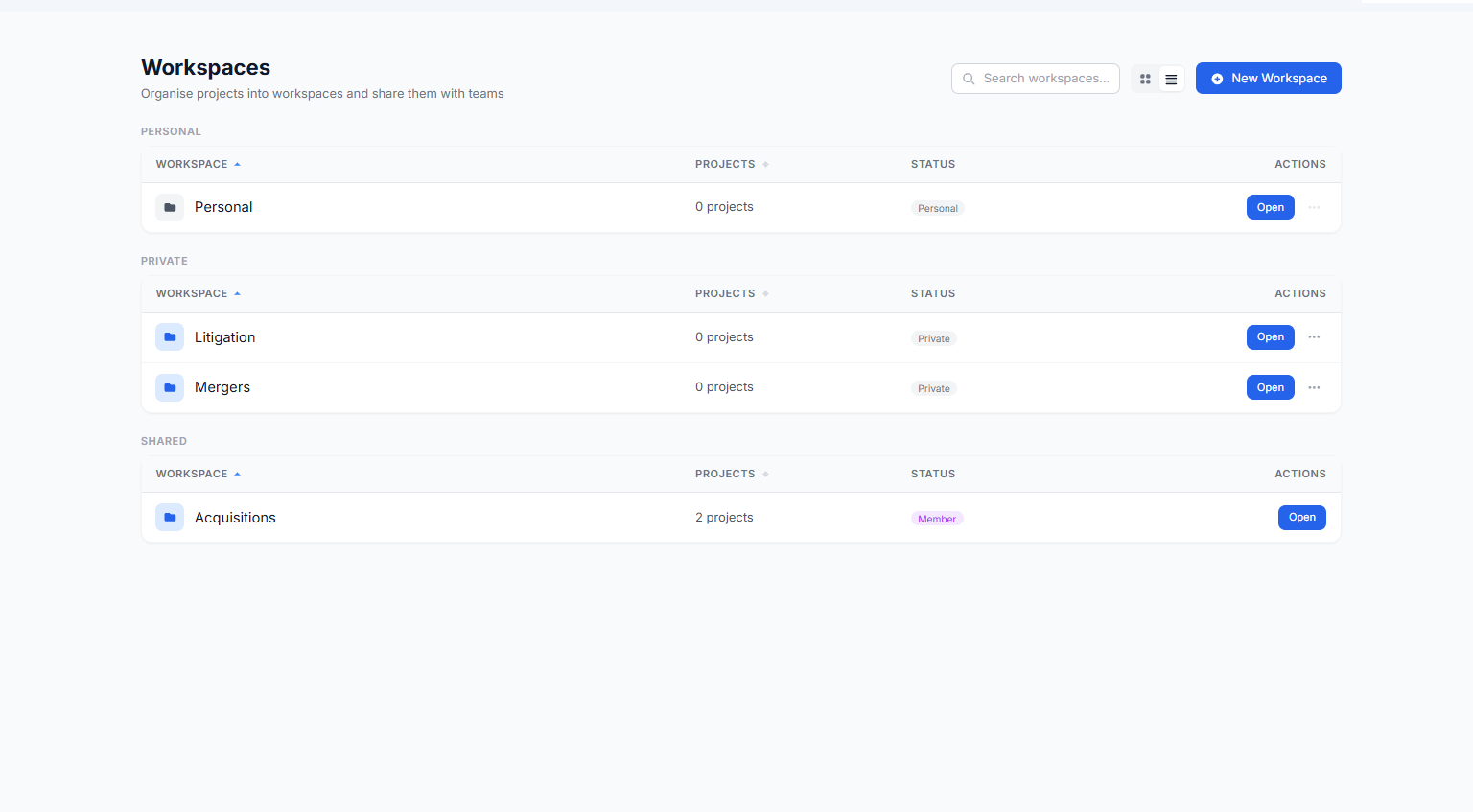
Workspaces & Teams
Group projects into Workspaces. Share workspaces with Teams — invite colleagues by email. Everyone gets a private Personal Workspace by default.
How it all fits together
Three simple layers keep everything organised — from individual files to shared collaboration.
Teams
A group of people. Create a team, invite colleagues by email, and share workspaces with them. One person can belong to multiple teams.
Workspaces
Folders that hold related projects. Share a workspace with a team and every member gets access. Everyone starts with a Personal Workspace that stays private.
Projects
Where the work happens — upload documents, chat with the AI, save findings, and run AI reviews. Assign to a workspace or leave unfiled.
Everything you need
Document Chat
Ask anything — answers are grounded in your files.
Source Citations
Every answer shows the file and page number.
AI Review
Categorise, score and cross-check findings.
OCR & Handwriting
Scans, photos and handwritten docs all work.
Global Search
Search across all your projects at once.
AI Translator
100+ languages with native scripts.
Supported files
including scanned
Word
.docx
Excel
.xlsx
Text
.txt .md
CSV
.csv
HTML / RTF
.html .rtf
Images
.png .jpg .tiff .bmp .gif .webp
Quick tips
Be specific — "What are the payment terms?" beats "What does this say?"
Save as you go — click answers to save them, then run AI Review.
Set your defaults — go to Settings and fill in your default Additional Context and User Profile — they auto-populate every new project.
Chat Preferences — choose your preferred AI model and verbosity in Settings → Chat Preferences so every conversation starts the way you like.
Multi-file — upload a whole bundle and search across every document.
Share via Teams — invite colleagues and give them access to workspaces.
Pick a model — Simple is fast, Ultimate is the most accurate.